
Module · Get paid
OXXO cash payments, cards and transfers for your bus tickets
Your passengers pay however suits them: cash or card at the box office, bank transfer, card on your website, or cash at OXXO. Every payment is logged with its reference, and it all lands in the same cash drawer.
The problem
When payments don't add up, you lose sales and time
Some passengers don't have a card, cashiers charge on a terminal that doesn't talk to your system, and nobody knows which ticket a transfer belongs to. At closing time the cash-up is off and you end up going through receipts one by one. Letting passengers pay for bus tickets at OXXO and logging every payment with its reference fixes both: you sell more and you close out faster.
The passenger has no card
They want to buy on WhatsApp or on your website, but all they have is cash. If you don't give them a way to pay, the sale goes to another bus line.
The terminal doesn't talk to the system
The cashier keys the amount into the terminal and then again into the system. One wrong digit and the cash-up is off.
Payments that don't match the cash-up
Transfers with no reference, loose receipts and mixed-up cash: at the end of the shift nobody knows which payment goes with which ticket.
What you can do
Every way to get paid, in one system
Cash and bank transfer
Cash is added to the cashier's cash-up. Transfers and SPEI payments are logged with their reference number, so every peso is tied to its ticket.
Card terminal at the box office
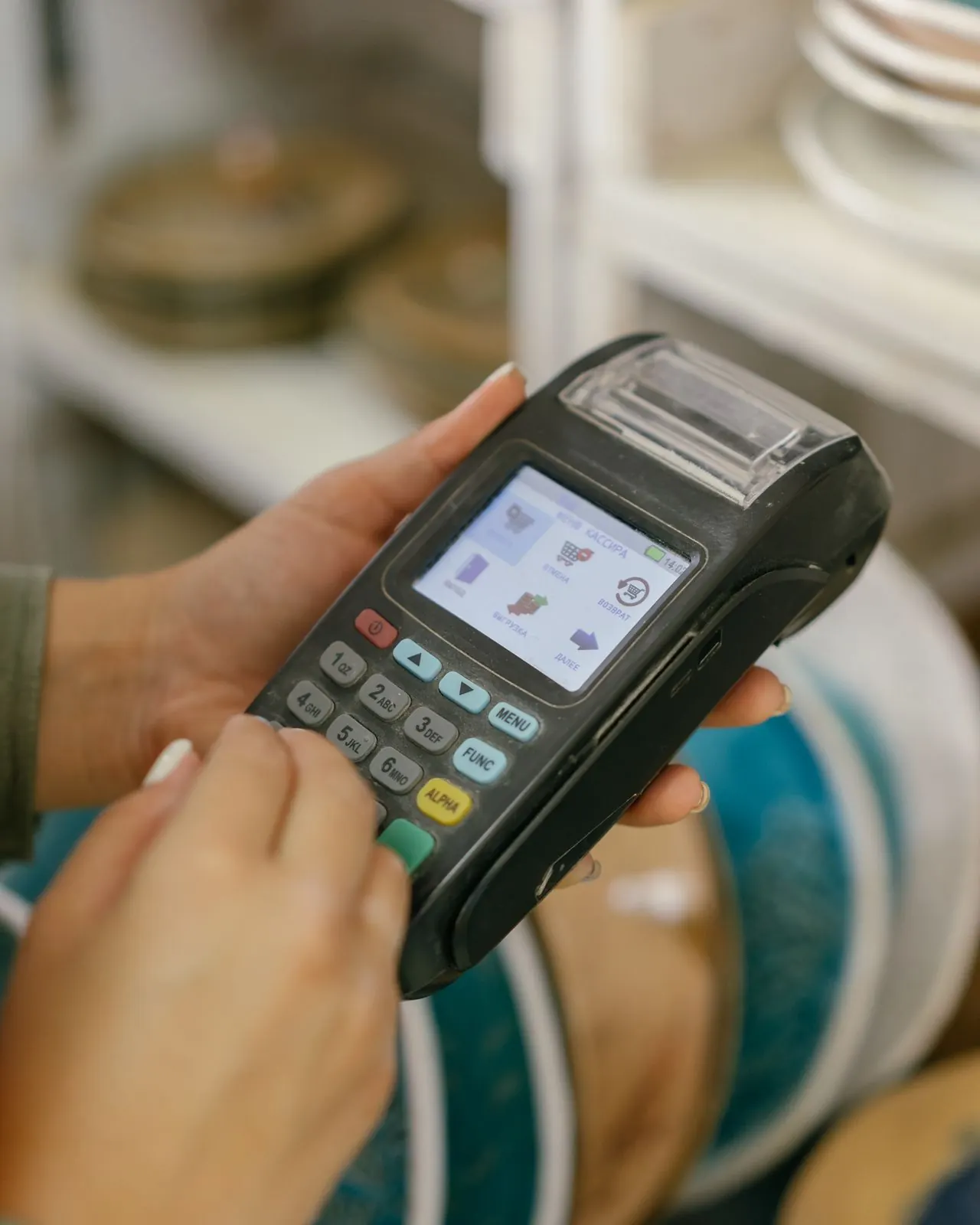
With the built-in BBVA Pinpad, the amount goes straight from Boleti to the terminal. Already have another terminal? Keep using it and log the approval code.
Online card payments
On your booking website and on WhatsApp, passengers pay by card through Stripe or MercadoPago. Boleti never stores card numbers.
Pay at OXXO and stores
Passengers without a card get a payment reference and pay cash at OXXO or at stores in the BBVA Openpay network. The ticket is issued once the payment clears.
Deposits and holds
At the box office, passengers can leave a deposit and take a deposit receipt, which isn't valid for boarding. Once they pay the balance, they get their ticket.
How it works
How OXXO payments work in Boleti
Step 1
Your passenger picks a seat
They buy on your booking website or on WhatsApp: choose the trip, the seat and the option to pay at OXXO.
Step 2
They get a payment slip
They see their slip with the amount and the reference to pay at the store. From that moment on, their seat is on hold.
Step 3
They pay cash at the store
They take the reference to an OXXO or a store in the BBVA Openpay network and pay at the register, like any other bill.
Step 4
Their ticket arrives
As soon as the payment provider confirms the payment, Boleti issues the ticket and sends it automatically. If they don't pay in time, the seat is released so you can sell it again.

OXXO payments
OXXO payments: sell to passengers who only carry cash
Many people who travel by bus don't use a card. With OXXO payments that sale isn't lost anymore: your passenger holds a seat from their phone and pays at a store near them, without going to your box office.
- Your passenger gets a payment reference for the exact amount.
- They pay cash at OXXO or at convenience stores in the BBVA Openpay network.
- Their seat stays on hold while they pay and is released only if they don't pay in time.
- The ticket is issued and sent automatically once the payment clears, and it all lands in the same cash drawer.
Plans
Box office payments on every plan; OXXO and online card from Línea
On every plan you take payments at the box office in cash, by bank transfer or on any card terminal with the approval code logged, and you can take deposits. From the Línea plan up you add online card and OXXO payments, with your booking website, plus the BBVA Pinpad connected to Boleti.
- Ruta Included
- Línea Included
- Flotilla Included
- Central Included
Included in every plan
30 days free, no card needed
Compare all plansFrequently asked questions
Payment questions
Can my passengers pay at OXXO?
Yes. When they buy on WhatsApp or on your website, they can pay cash at OXXO and at convenience stores in the BBVA Openpay network, pay by card (Stripe or MercadoPago), or pay at your box office. While they pay, their seat is held for a limited time, and the ticket is issued only once the payment is confirmed. The booking website comes with the Línea plan and up.
How long does an OXXO payment take to confirm?
It depends on the store and the payment provider: the payment is confirmed when the store reports it. You don't have to keep an eye on it or check receipts: as soon as the confirmation comes in, Boleti issues the ticket and sends it to the passenger. Meanwhile the seat stays on hold, and if they don't pay within the time limit, it's released so you can sell it again.
Does Boleti charge a fee on each payment?
No. Boleti doesn't charge a fee on payments; each bus line connects its own account and the money goes straight there. You pay your monthly plan, which already includes a monthly ticket allowance. Payment providers (Stripe, MercadoPago or BBVA Openpay) and your terminal's bank charge their own fees under whatever you've agreed with them.
Can I use the card terminal I already have?
Yes. You charge on your terminal as usual and log the approval code in Boleti, so the payment is tied to the ticket and shows up in the cashier's cash-up. If you'd rather have the amount go to the terminal automatically, without keying it in twice, the BBVA Pinpad is built in starting on the Línea plan.
How does a deposit work?
The passenger pays part of the fare at the box office and gets a deposit receipt, which isn't valid for boarding. When they pay the balance before the deadline, Boleti issues their final ticket and sends it on WhatsApp. If they don't pay in time, the seat is released according to the deposit policy you set up.
Do you store my passengers' card details?
No. Boleti doesn't store card numbers: payments are processed by the payment providers (Stripe, MercadoPago or BBVA Openpay). On your booking website, the card fields are served by the provider itself, so the full card number never goes through Boleti or through your staff.
Also useful
Modules that go hand in hand with your payments
Cash and collections
Cash-ups that add up, deposits with photos and expenses with receipts
See Cash and collectionsOnline sales
Your own website to sell tickets, with your brand and your seat map
See Online salesCFDI 4.0 invoicing
Passengers get their own invoice, with PDF and XML
See CFDI 4.0 invoicing
Is this your line?
See the solution for Small bus lines1 to 3 buses: sell, send the ticket and balance your cashStart today
Get paid the way your passengers prefer
Try Boleti free for 30 days, no card and no lock-in. We help you load your routes and fares, and you start taking payments with what you already have at the box office.
Cash, terminal, card and OXXO in one cash-up: that's why Boleti is the best bus ticketing system in Mexico.
No card and no lock-in